
A minimal effective CI/CD pipeline turns a code commit into a tested, deployable artifact without a human touching a server. To get there, do three things first: pick your branch strategy and runner model, commit a pipeline YAML file at the repo root, and stand up a secrets manager and artifact repository before writing a single job. Everything else in this guide builds on those three decisions.
TL;DR:
- Implement artifact promotion by building once and referencing the same artifact in all environments to ensure consistency between testing and production.
- Use infrastructure as code and regular environment refreshes to prevent environment drift and maintain parity across staging and production.
- Automate dependency and security scans within pipeline stages, treating them as essential blocking steps rather than optional reviews.
- Structure the test pyramid with fast unit tests early, slower integration tests later, and reserve the slowest end-to-end tests for scheduled runs to keep pipeline times manageable.
- Focus on discipline around key practices like artifact promotion, environment parity, and security rather than just tool selection to build scalable, maintainable pipelines.
Table of Contents
- How Do You Set Up a CI/CD Pipeline?
- What Are the Five Stages of a CI/CD Pipeline?
- Building the Pipeline: A Minimal YAML Skeleton
- How Should You Structure the Test Pyramid in CI?
- Why Does Environment Drift Break Deployments?
- What Security Practices Does a CI/CD Pipeline Need?
- How Do You Keep CI/CD Pipelines Maintainable at Scale?
- How Requestum Applies These Practices in Client Projects
- Why the Standard CI/CD Advice Undersells the Hard Part
- Get Help Building a Pipeline That Scales With Your Team
- Sources
- FAQ
How Do You Set Up a CI/CD Pipeline?
Before a pipeline runs its first job, three infrastructure decisions determine whether the rest of your setup goes smoothly or turns into weeks of debugging permission errors and flaky environments.
Choose your branch and repo structure first. Most teams run CI/CD off a protected main or trunk branch, with feature branches triggering test-only jobs and merges to main triggering full build-test-deploy runs. If you're on a trunk-based model, protect that branch with required status checks and at least one approving review before merge. Anything less invites broken builds straight into production territory.
Decide between hosted and self-hosted runners. Hosted runners (GitHub Actions' Ubuntu/macOS/Windows images, GitLab's shared runners) require zero maintenance and scale automatically, but you pay per minute and lose control over the exact environment. Self-hosted runners cost more in upkeep but give you persistent caches, custom hardware (GPUs, ARM chips), and no per-minute billing anxiety. Mobile teams building for iOS almost always need macOS runners at some point, which pushes many toward hosted options simply because Apple hardware is expensive to maintain in-house.
Provision your supporting services before writing YAML. You need an artifact repository (Docker Hub, GitHub Container Registry, Artifactory, or your cloud provider's native registry), a secrets manager (HashiCorp Vault, AWS Secrets Manager, or your CI platform's built-in encrypted variables), and scoped service account tokens for each. Trying to bolt these on after the pipeline is running usually means rewriting half your jobs.
Here's the permissions checklist your team needs before the first commit:
- Write access to the repository and permission to configure branch protection rules
- Admin rights on the CI/CD platform to create pipelines, manage runners, and set environment variables
- A service account or IAM role scoped to deploy targets, not a personal account with broad access
- Read/write credentials for the artifact repository, stored in the secrets manager, not in plaintext config
- Access to the secrets manager itself, with role-based permissions separating who can read production secrets from who can read staging ones
Get these four pieces in place and the actual pipeline configuration becomes almost mechanical.
What Are the Five Stages of a CI/CD Pipeline?
A CI/CD pipeline consists of five core stages: Source, Build, Test, Deploy, and Monitor. Each stage has a distinct job and a distinct output, and confusing them is one of the fastest ways to end up with a pipeline nobody trusts.
- Source. The pipeline triggers on a push, pull request, or tag. Output: a checked-out commit with metadata (branch, commit SHA, author) available to every downstream job.
- Build. Source code compiles into a runnable artifact, whether that's a Docker image, a compiled binary, or a packaged bundle (a
.jar, an.ipa, an.apk). Output: one immutable, versioned artifact pushed to your artifact repository. This is the artifact you promote through every later environment; you never rebuild it. - Test. Automated checks run against the build. Output: pass/fail signals plus reports, ideally as a required gate before deploy. Recommended checks here include linters, static application security testing (SAST), software composition analysis (SCA) for dependency vulnerabilities, unit tests, and integration tests.
- Deploy. The same artifact from the build stage moves into an environment (staging, then production), configured through infrastructure as code rather than manual server changes. Output: a running service plus a deployment record (what version, when, by whom).
- Monitor. Post-deploy checks confirm the release is healthy: smoke tests, error-rate dashboards, and alerting hooks that fire before customers notice a problem. Output: health signals feeding back into the next Source trigger.
The artifact promotion step deserves extra attention because it's the part teams skip most often. Building once in the Build stage and pushing that exact artifact through staging and production, rather than rebuilding for each environment, guarantees that what you tested is what you shipped. TeamCity's guidance on CI/CD treats this as a non-negotiable practice, and for good reason: rebuilding per environment introduces the possibility that a dependency resolved differently in production than it did in staging, silently invalidating everything your test stage verified.
Building the Pipeline: A Minimal YAML Skeleton
A working pipeline configuration file lives at your repo root, typically .github/workflows/ci-cd.yml for GitHub Actions or .gitlab-ci.yml for GitLab CI. Both platforms use a similar mental model: stages, jobs within stages, dependencies between jobs, and artifacts passed between them.
Here's a minimal skeleton, framed generically so it adapts to either platform:
stages:
  - build
  - test
  - deploy

build_job:
  stage: build
  script:
    - docker build -t myapp:$CI_COMMIT_SHA .
    - docker push myregistry/myapp:$CI_COMMIT_SHA
  artifacts:
    paths:
      - build_metadata.json

test_job:
  stage: test
  needs: [build_job]
  script:
    - run_unit_tests.sh
    - run_lint.sh

deploy_staging:
  stage: deploy
  needs: [test_job]
  script:
    - deploy_artifact.sh myregistry/myapp:$CI_COMMIT_SHA staging
  environment: staging
  only:
    - main
The needs field enforces job dependencies so tests don't start before the build finishes, and artifacts passes files (test reports, metadata) between jobs without re-fetching them from source. Reference the same tagged image (myapp:$CI_COMMIT_SHA) in every downstream deploy job instead of rebuilding it, which is the practical expression of artifact promotion described above.
Caching speeds up repeat runs meaningfully. Cache dependency directories (node_modules, .m2, pip's wheel cache) keyed on your lockfile hash, and most builds see build times drop noticeably on cache hits. Run independent jobs (lint, unit tests, SCA scan) in parallel rather than sequentially. AWS documents a comparable pattern using CodePipeline and AWS CDK, chaining build, linting, security checks, testing, and staged deploys to dev, test, and prod environments defined entirely in code.
Trigger configuration matters as much as the jobs themselves:
- Push and pull-request triggers run the fast subset (build, unit tests, lint) on every commit
- Merge-to-main triggers run the full suite plus deploy to staging
- Tag-based triggers (
v1.2.0) kick off production release pipelines with manual approval gates - Scheduled (cron) triggers run nightly full regression suites, including slower integration and end-to-end tests that would otherwise slow down every commit
| Trigger type | Typical jobs run | Frequency |
|---|---|---|
| Push / pull request | Build, lint, unit tests | Every commit |
| Merge to main | Full test suite, deploy to staging | Per merge |
| Tag push | Production deploy with approval gate | Per release |
| Scheduled (cron) | Full regression, integration, E2E | Nightly |
For teams building mobile CI/CD pipelines, this trigger model shifts slightly. iOS builds require macOS runners and code-signing certificates, which platform-specific tooling like Expo's build service handles through managed signing and build fingerprinting, avoiding a full native rebuild for JavaScript-only changes.
How Should You Structure the Test Pyramid in CI?
Running your entire test suite on every commit is the single most common way teams turn a five-minute pipeline into a forty-minute one. The fix is placing tests deliberately across pipeline stages instead of running everything, everywhere, always.
Unit tests belong in the fastest, earliest stage; they should run in seconds and catch the majority of regressions before anything more expensive kicks in. Integration tests, which spin up dependent services or databases, belong later in the Test stage, gated behind a successful unit test pass. End-to-end tests, the slowest and most brittle layer, generally belong in scheduled nightly runs or pre-release gates rather than on every push.
Harness's CI/CD guidance recommends intelligent test selection, running only the tests affected by a given code change, as a way to keep commit-time pipelines fast without sacrificing coverage on the full nightly run.
A few practices keep this system from degrading over time:
- Run independent test suites in parallel across multiple runners to cut wall-clock time
- Quarantine flaky tests into a separate job that reports but doesn't block merges, then track and fix them on a schedule
- Log flake rates per test so you can see which ones are actually unreliable versus which ones caught a real bug once
Pro Tip: Tag tests by risk area (payments, auth, core checkout) rather than just by type. When a pipeline fails, engineers can immediately see whether a high-risk area broke instead of scrolling through a wall of generic test names.
Why Does Environment Drift Break Deployments?
Environment drift happens when staging and production silently diverge over time, usually because someone made a manual change to one and forgot the other. It's common enough that experts specifically recommend using infrastructure as code, tools like Terraform, AWS CDK, or Bicep, and refreshing test and staging environments regularly so they continue mirroring production instead of drifting away from it.
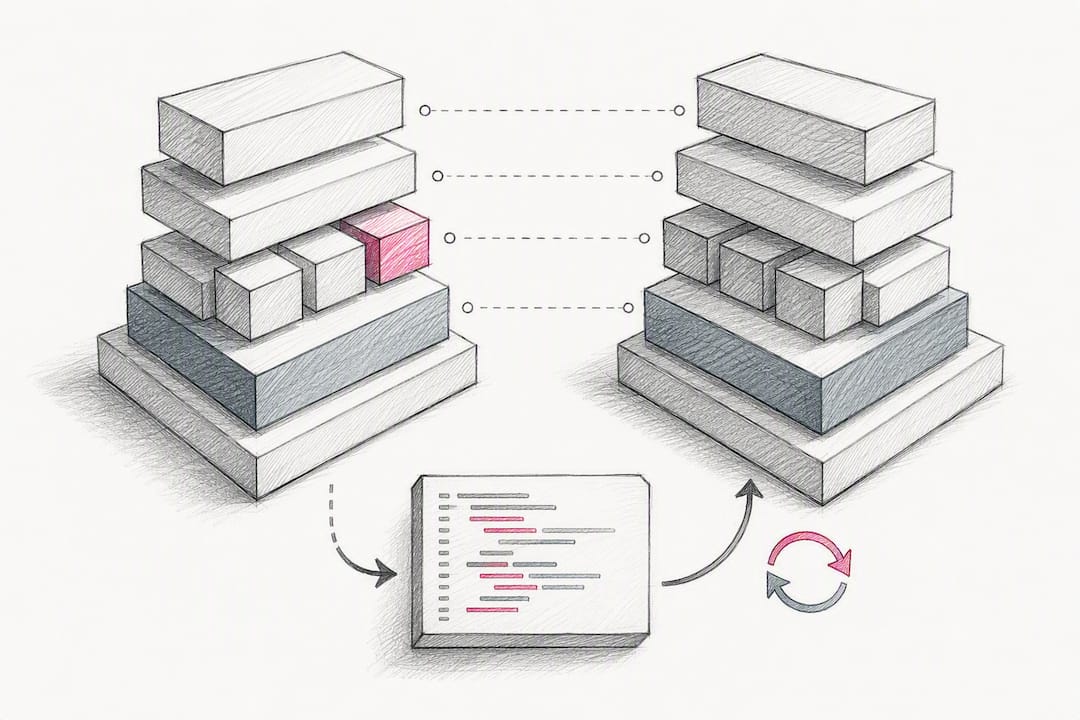
A practical mitigation many teams adopt is running ephemeral environments for integration and end-to-end tests, provisioned by IaC and torn down immediately after the test run finishes. This removes the "works on staging but not on the fresh environment" failure mode entirely, since every test run starts from an identical, code-defined baseline.
Segment environments by account or namespace based on blast radius, not convenience:
- Separate cloud accounts or projects per environment (dev, staging, prod) limit the damage of a misconfigured IAM policy or an exposed credential
- Shared namespaces within a single account work fine for early-stage teams but become a liability once production traffic and compliance requirements grow
- Promote the same build artifact through every environment; rebuilding per stage is exactly the kind of subtle inconsistency IaC is meant to eliminate
What Security Practices Does a CI/CD Pipeline Need?
Pipeline security starts with one rule that has no exceptions: sensitive information such as API keys and database credentials should never be hard-coded; route everything through a dedicated secrets manager and inject values at runtime as environment variables scoped to the job that needs them.
Beyond secrets, four practices close most of the remaining gaps:
- Grant runner and service account credentials least-privilege access, scoped to exactly the resources a job touches, with MFA enforced on any human account that can approve production deploys.
- Run dependency and open-source scanning (SCA) plus container image scans as required pipeline steps, not optional add-ons run manually before a release.
- Require manual approval gates before any production deployment job executes, separate from the approval that merged the code.
- Restrict who can edit pipeline configuration files themselves; a pipeline YAML with deploy credentials is as sensitive as the credentials it uses.
One trend worth internalizing: AWS's own prescriptive guidance treats security checks as core pipeline steps baked directly into the build and test stages, not a separate audit run before release. Teams that treat scanning as a checklist item bolted on later consistently catch vulnerabilities too late to fix cheaply.
How Do You Keep CI/CD Pipelines Maintainable at Scale?
Pipelines that work great for one team tend to become unmanageable once ten teams copy and modify them independently. Platform teams solve this by defining a shared, opinionated pipeline template, often called a golden path, that every service inherits from rather than reinventing.
Track pipeline health the same way you'd track application health:
- Deployment frequency, lead time for changes, change failure rate, and mean time to recovery (the four DORA metrics) reveal whether your delivery process is actually improving
- Build time and queue time are CI-specific KPIs worth dashboarding separately, since a slow queue often masks itself as a slow build
- A rising change failure rate usually points to a testing gap, not bad luck
For riskier releases, progressive delivery patterns reduce blast radius without slowing the whole team down. Canary deployments route a small percentage of traffic to the new version before a full rollout; blue/green deployments keep both versions running and switch traffic atomically. Feature flags let you decouple deployment from release entirely, shipping code dark and turning it on for specific users later.
Pro Tip: Start your golden path template with just the five core stages and one deployment pattern. Teams that try to template canary, blue/green, and feature flags into a single universal pipeline on day one usually end up with something so configurable that nobody understands it.
How Requestum Applies These Practices in Client Projects
Requestum builds these patterns directly into client engagements rather than treating them as a separate DevOps afterthought. On projects like the Asset Visualization Tool, infrastructure and delivery automation get designed alongside the application architecture from the start, not retrofitted after launch.
That approach shows up consistently across engagement types:
- Infrastructure as code defines environments for every project, keeping staging and production configuration in sync from day one
- Reusable pipeline templates get built once and shared across services on a given client's platform, mirroring the golden path model
- Automated testing, handled through Requestum's QA and automated testing services, gets integrated into the pipeline rather than run as a manual pre-release step
- Monitoring hooks and deployment gates get scoped per client based on risk tolerance and release cadence, particularly for logistics platforms like the xScale case work, where downtime has direct operational cost
Why the Standard CI/CD Advice Undersells the Hard Part
Most CI/CD guides spend their energy on tool selection, GitHub Actions versus GitLab CI, Jenkins versus CircleCI, as if picking the right platform is the decision that determines success. It rarely is. The tools converge on similar capabilities faster than teams converge on good practices around them.
What actually separates a pipeline that scales from one that collapses under its own weight is discipline around three unglamorous things: artifact promotion, environment parity through IaC, and treating security scans as blocking steps rather than optional gates. Teams skip these because they're less visible than picking a shiny new runner or a faster build cache, and the cost shows up months later as a mysterious "works in staging, fails in prod" bug that nobody can reproduce.
If you're starting from scratch, resist the urge to build a fully templated, multi-environment, canary-enabled pipeline on week one. Ship the five-stage skeleton, get artifact promotion right, and only then layer in progressive delivery and platform templates once you have more than one team depending on the pipeline. Complexity you add before you need it is complexity you'll maintain forever.
— Dmitry
Get Help Building a Pipeline That Scales With Your Team
There are teams experienced in building these patterns across web, SaaS, and mobile projects that can help get your CI/CD running correctly in days, not sprints. Such engagements often include an audit of your current setup, a pilot pipeline on one service to prove the pattern, and then a full rollout across your platform, with IaC, automated testing, and monitoring built in from the start.
That structure matters most for teams juggling multiple services or a mix of web and mobile delivery, where inconsistent pipelines across repos quietly multiply maintenance work. Whether you need a web development team to build the application and pipeline together, or SaaS development support for a multi-tenant delivery model, Requestum scopes the engagement around your actual release cadence rather than a generic template. Reach out through Requestum's contact page to start with an audit of your current pipeline and get a concrete plan for closing the gaps this guide covers.
Sources
- CI/CD Pipeline Guide for Developers | Software Development Companies
- Secrets management for CI/CD pipelines — Entro Security
- Set up a CI/CD pipeline by using AWS CodePipeline and AWS CDK — AWS Prescriptive Guidance
FAQ
How are CI/CD pipelines built?
They're built by defining stages (Source, Build, Test, Deploy, Monitor) in a YAML configuration file stored in the repository, connected to a CI/CD platform that runs jobs on triggers like pushes, pull requests, or tags.
Which tool is best for CI/CD pipelines?
There's no universal winner: GitHub Actions integrates tightly with repos already hosted on GitHub and suits smaller teams, while GitLab CI offers a more built-in DevOps toolchain for teams wanting source control and pipelines in one platform. The right choice depends on where your code already lives and whether you need self-hosted runners; Requestum's engineers can help you compare github actions vs gitlab ci against your specific infrastructure during an audit.
Is CI/CD difficult to set up?
The basic skeleton, build, test, deploy to staging, is straightforward to configure in an afternoon. The difficulty comes later, in artifact promotion, secrets management, and environment parity, which is why many teams bring in outside help once they scale past a single service.
What are the four steps in a CI/CD pipeline?
Some frameworks collapse the five stages into four by merging Deploy and Monitor, giving you Source, Build, Test, and Deploy/Monitor combined. Either framing covers the same underlying work: code is sourced, compiled, verified, and shipped with health checks attached.
How do I promote the same artifact across environments instead of rebuilding it?
Tag the build output once with a unique identifier, such as a commit SHA, push it to an artifact repository, and reference that exact tag in every deploy job for staging and production instead of running the build step again.