

The most effective approach to secure data storage combines three things: strong encryption (AES-256 or equivalent) applied to data at rest and in transit, encryption keys managed and stored separately from the data they protect, and immutable, tested backups paired with least-privilege access. Whether you choose provider-managed cloud storage, a zero-knowledge service, or encrypted offline drives, these principles decide whether your data survives a breach or a ransomware attack.
TL;DR:
- Use separate storage for encryption keys, ideally managed via a dedicated key management system or hardware security module, to prevent key compromise.
- Implement immutable, tested backups with proper retention policies, and regularly verify restore procedures to ensure recovery capability.
- Prioritize encrypting data at rest with AES-256 and using authenticated encryption modes like GCM to safeguard confidentiality and integrity long-term.
- Enforce strict access controls with multi-factor authentication and least-privilege policies to minimize human error and insider threats.
- Avoid relying solely on provider-managed encryption keys for cloud storage if sensitive data or regulatory compliance requires full control over key management.
Table of Contents
- What Are the Main Approaches to Secure Data Storage?
- Which Encryption Standards Actually Matter for Storage?
- How Should You Manage Encryption Keys?
- How Do You Configure Secure Cloud Storage Correctly?
- When Should You Use Encrypted Drives and Offline Backups?
- How Do Immutable Backups Stop Ransomware?
- How Do You Limit Human and Access-Related Risk?
- How Does Requestum Implement Secure Storage in Real Applications?
- Where Can You Learn More About Secure Storage Standards?
- What Does This Mean for How You Should Prioritize Security?
- Sources
What Are the Main Approaches to Secure Data Storage?
Every secure data storage strategy falls into one of a few categories, and the differences matter more than most guides admit. Provider-managed encryption means your cloud vendor encrypts data at rest automatically and holds the keys. Customer-managed keys shift key ownership to you, while the provider still hosts the infrastructure. Zero-knowledge or end-to-end encrypted cloud services encrypt data on your device before it ever leaves, so the provider technically can't read it even if compelled to. Then there's encrypted physical media: external drives or offline backups protected by hardware or software encryption, disconnected from any network.
Each option trades privacy, control, and convenience differently.
- Provider-managed encryption is the easiest to deploy and works well for teams without dedicated security staff, but the provider technically holds the keys and could be compelled to hand over data under legal process.
- Customer-managed keys (CMK) give you the ability to revoke access instantly by disabling your key, which is valuable for regulated industries, but it adds operational overhead: someone has to manage key rotation and access policies.
- Zero-knowledge cloud storage offers the strongest privacy guarantee since even the provider can't decrypt your files, though this comes with trade-offs in features like server-side search or collaborative editing.
- Encrypted external drives and offline backups deliver the best ransomware resilience because an air-gapped device simply can't be reached by network-based attacks, but recoverability depends entirely on disciplined physical handling.
For individuals backing up personal files, a zero-knowledge cloud service paired with one encrypted external drive covers most threat scenarios. Small and medium businesses usually land on customer-managed keys within a mainstream cloud platform, since it balances control with manageable complexity. Organizations handling regulated data, healthcare records or payment information, typically need customer-managed keys plus air-gapped backups to satisfy both operational recovery needs and auditor scrutiny.
Which Encryption Standards Actually Matter for Storage?
Not all encryption is equal, and the algorithm you choose has real consequences for long-term data security. For symmetric encryption, which handles the bulk of data at rest, OWASP recommends AES with a strong key length as the current standard. AES-128 remains technically secure, but AES-256 gives you a wider margin against future cryptanalytic advances, which matters when data needs to stay protected for a decade or more.
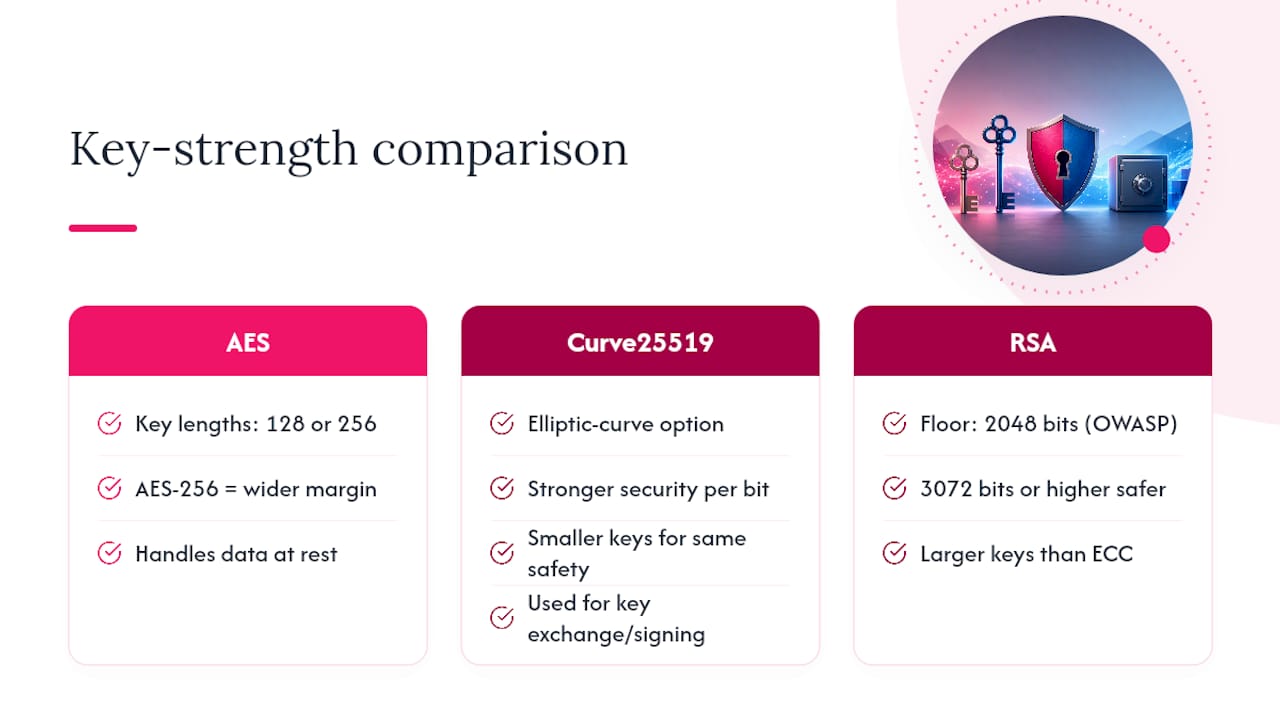
Asymmetric encryption, used for key exchange and signing, is where things get more nuanced. Elliptic curve options like Curve25519 offer stronger security per bit than RSA, meaning smaller keys with equivalent protection. If your systems still depend on RSA, OWASP's cheat sheet specifies a floor of 2048 bits, though 3072 or higher is safer for anything you expect to matter beyond the next few years.
Algorithm choice alone isn't enough. You need authenticated encryption modes, specifically GCM or CCM, which bind confidentiality and integrity together. Without authentication, an attacker who can't read your data might still tamper with it undetected, corrupting files or forging content that decrypts successfully into something malicious. A tool like Password Encryption Explained breaks down how these key derivation choices interact with password-based systems specifically.
The deprecation clock matters here too. Older modes like ECB leak patterns in the ciphertext and should never appear in new systems. Anything still running DES or 3DES needs migration on your roadmap now, not eventually.
How Should You Manage Encryption Keys?
Storing your encryption keys next to the data they protect defeats the purpose of encrypting in the first place. This is the single most common mistake in home-grown storage systems: a compromised server that hosts both the encrypted files and the key that unlocks them offers an attacker everything in one breach. OWASP's guidance is explicit that keys belong in a separate, dedicated store, protected by its own access controls.
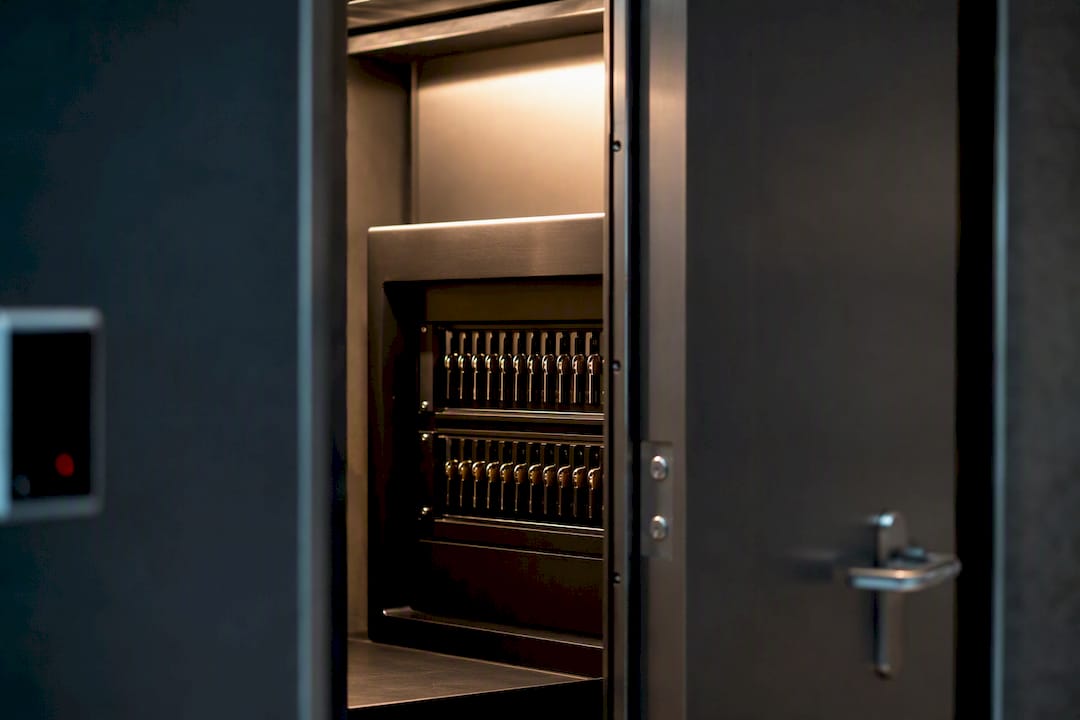
The practical model most engineering teams use is envelope encryption: a data encryption key (DEK) encrypts the actual files and can live alongside the data, but a separate key encryption key (KEK), held in a hardware security module or managed key service, wraps that DEK. Compromising the data alone gets an attacker nothing without the KEK.
You have three broad options for where the KEK lives:
- Cloud KMS (like AWS KMS or Azure Key Vault) for teams that want managed infrastructure with reasonable control and audit logging built in.
- Dedicated HSMs, physical or cloud-based (CloudHSM, Azure Managed HSM), when compliance requirements demand hardware-level key isolation.
- Third-party secrets vaults for organizations running multi-cloud or hybrid environments that don't want to lock key management to one provider.
Key rotation deserves a real policy, not an afterthought. Azure's documentation notes that rotating keys involves re-wrapping data encryption keys, and doing it carelessly can cause service interruptions. If you suspect a key is compromised, revoke it immediately, rotate to a new KEK, re-wrap affected DEKs, and audit every access log tied to that key's lifetime.
Pro Tip: Set calendar-based key rotation (annually at minimum for KEKs) rather than waiting for an incident to force it. Reactive rotation under pressure is where mistakes happen.
How Do You Configure Secure Cloud Storage Correctly?
Cloud storage misconfiguration, not weak encryption, causes most public data exposures. Getting the fundamentals right matters more than picking the fanciest provider feature.
Start with encryption at rest enabled by default across every storage service you use, object storage, databases, and virtual machine disks alike. CISA specifically recommends encrypting data both at rest and in transit as baseline protection against ransomware and unauthorized access, particularly for organizations tied to critical infrastructure. Decide early whether provider-managed keys suffice or whether your compliance obligations require customer-managed keys; the latter costs more operational effort but gives you the ability to cut off access unilaterally.
Beyond encryption itself, a working configuration checklist looks like this:
- Enforce TLS for every connection, and use private endpoints or VPNs so traffic never traverses the public internet unnecessarily.
- Apply least-privilege IAM policies, granting access to specific buckets, tables, or files, never broad account-wide permissions.
- Turn on versioning so accidental overwrites or deletions are recoverable.
- Set retention policies and object-lock or write-once features on backups specifically, not just production data.
- Enable audit logging on every storage service and forward those logs somewhere separate from the storage itself.
That last point matters more than it sounds. The AWS Well-Architected Framework highlights immutability and object-lock features as core ransomware defenses precisely because encryption alone doesn't stop an attacker with valid credentials from simply deleting your files. Encrypted data that gets erased is still gone.
When Should You Use Encrypted Drives and Offline Backups?
Cloud storage handles day-to-day access well, but it isn't the right tool for every scenario. Offline, encrypted media earns its place in three situations: air-gapped recovery from ransomware, long-term regulatory archival where retrieval speed doesn't matter, and extremely sensitive data you don't want touching any network at all.
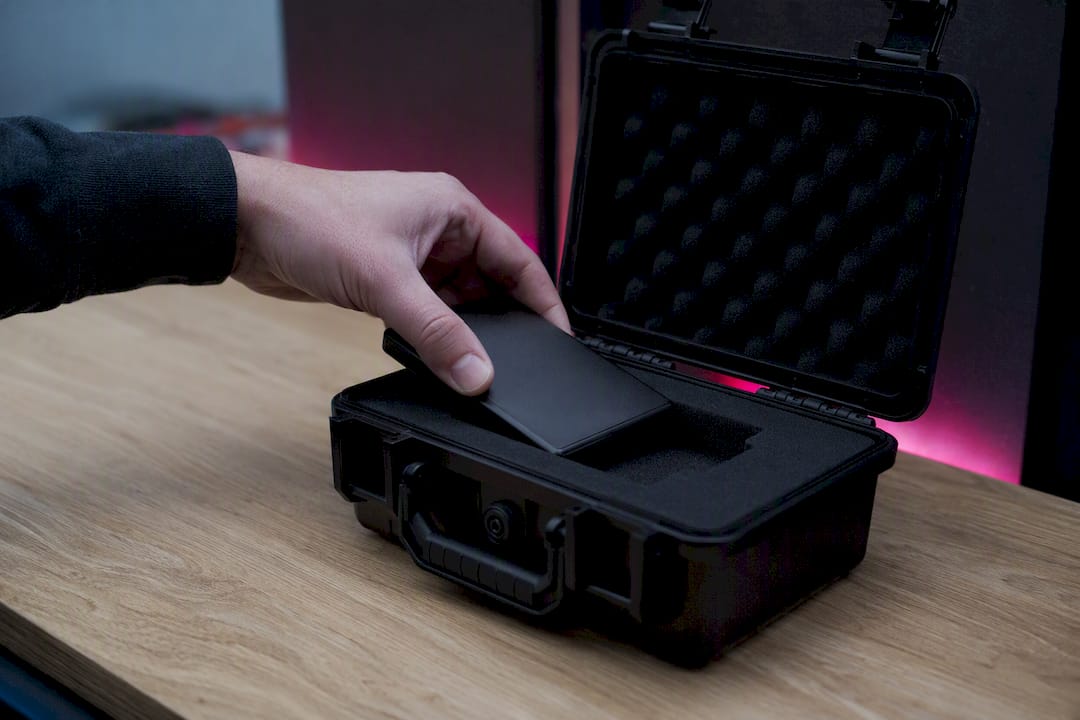
Hardware-encrypted drives, self-encrypting SSDs with onboard cryptographic processors, offer a meaningful advantage over relying solely on OS-level full-disk encryption: the encryption engine is isolated from the host system, so a compromised operating system can't extract the key as easily. For organizations with compliance requirements, look for drives certified under FIPS 140 validation levels; the specific level required usually depends on your industry's regulatory framework.
A few operational habits separate reliable offline backups from ones that fail you exactly when you need them:
- Label and inventory every device, including where it's stored and who has access.
- Test restores from offline media on a set schedule, not only after something breaks.
- Store backup copies in at least two physically separate locations to survive a site-level disaster.
- Use secure chain-of-custody procedures when transporting drives between locations.
Treat offline backups as insurance you check periodically, not a set-and-forget task.
How Do Immutable Backups Stop Ransomware?
Ransomware attackers increasingly target backups first, precisely because encrypted production data is worthless leverage if you can just restore from a clean copy. Immutable, append-only backup storage removes that option by making stored backups mathematically impossible to alter or delete within their retention window, even by someone holding valid administrative credentials.
A workable ransomware-resilient backup strategy includes:
- Isolate backup credentials entirely from production access, so a compromised admin account can't also touch backup storage.
- Define RPO and RTO targets explicitly (how much data loss is acceptable, how fast you need to recover) and build your replication and offsite archival strategy around those numbers.
- Run restore drills on a schedule, not just integrity checks, since a backup that "exists" isn't the same as a backup that actually restores cleanly.
Backups without tested restores are just files sitting somewhere, an assumption of safety rather than a verified one. Integrity checks, especially cryptographic hashing to confirm a restored file matches its original checksum, catch silent corruption before it becomes a crisis during an actual recovery.
How Do You Limit Human and Access-Related Risk?
Technical encryption controls fail constantly for a mundane reason: someone had access they shouldn't have had, or a device without full-disk encryption walked out the door. Access control and endpoint hygiene close that gap.
Multi-factor authentication should apply to every account with storage access, no exceptions for "trusted" internal accounts. Conditional access policies, checking device posture, location, and behavior patterns before granting access, catch anomalies that MFA alone might miss. Least-privilege IAM extends this further: grant access to the specific resource someone needs, not the whole environment.
Endpoints matter as much as servers. A laptop without full-disk encryption that gets lost or stolen hands over everything cached locally, regardless of how well your cloud storage is configured. Practical steps include:
- Enforce full-disk encryption on every device that touches sensitive data, no exceptions for convenience.
- Use dedicated, hardened management workstations for anyone with privileged storage access.
- Deploy anti-malware and endpoint detection tools that flag unusual file access patterns.
- Separate privileged accounts from everyday user accounts, even for the same person.
Pro Tip: Review access logs for storage systems monthly, not just during audits. Anomalous access patterns, someone downloading far more data than their role requires, often surface weeks before an actual incident.
How Does Requestum Implement Secure Storage in Real Applications?
Building secure storage into a real application looks different from following a checklist in isolation. Engineering teams typically integrate application-layer encryption directly with cloud key management services, wrapping data encryption keys through a managed KMS rather than handling raw keys inside application code. That separation limits the blast radius if application code ever gets compromised.
Testing this properly requires its own discipline. QA processes need to verify that key rotation doesn't break live services, that re-wrapped data still decrypts correctly, and that restore procedures actually recover usable data rather than corrupted fragments. These are exactly the failure points that slip past manual testing but show up in production under pressure.
Requestum's engineering teams build this into projects across SaaS platforms and industry-specific systems, including logistics platforms handling sensitive shipment and customer data across distributed warehouse and fleet operations. For teams building from scratch, the architecture decisions made early, how secrets get managed, where encryption happens in the data flow, are far cheaper to get right at the start than to retrofit later, a pattern outlined in Requestum's guide to building a SaaS application.
Where Can You Learn More About Secure Storage Standards?
For readers who want to go deeper on any of the technical points covered here, a handful of sources anchor the guidance in this article. CISA's encryption guidance covers baseline recommendations for businesses of any size. OWASP's Cryptographic Storage Cheat Sheet remains the most detailed reference for algorithm and key-store choices. Microsoft's Azure encryption documentation and AWS's prescriptive guidance on encryption strategy both offer platform-specific implementation steps worth consulting directly, since exact configuration screens and service names change more often than the underlying principles.
What Does This Mean for How You Should Prioritize Security?
The conventional advice on secure data storage spends too much time on encryption algorithms and not enough on the boring operational stuff that actually causes breaches. AES-256 versus AES-128 rarely decides whether an organization gets hit. Colocated keys, untested backups, and overly broad access permissions decide that far more often.
If there's one place the industry's messaging undersells the risk, it's backups. Companies encrypt their production data diligently and then leave backup credentials sitting in the same identity system as everything else, which means a single compromised admin account can wipe out both the live data and the recovery path in one move. Immutability closes that gap, but only if someone actually tests the restore process instead of assuming a green checkmark means the backup works.
Prioritize in this order: separate your keys from your data, make backups immutable and isolated, then run a restore drill before you need one for real. Everything else, algorithm selection, vendor choice, is secondary to getting those three things right.
— Dmitry
Sources
- Encrypt business data | CISA
- Cryptographic Storage Cheat Sheet | OWASP
- Data encryption best practices | Microsoft Azure